CM Security Lite - Antivirus1.0.2
Publisher Description
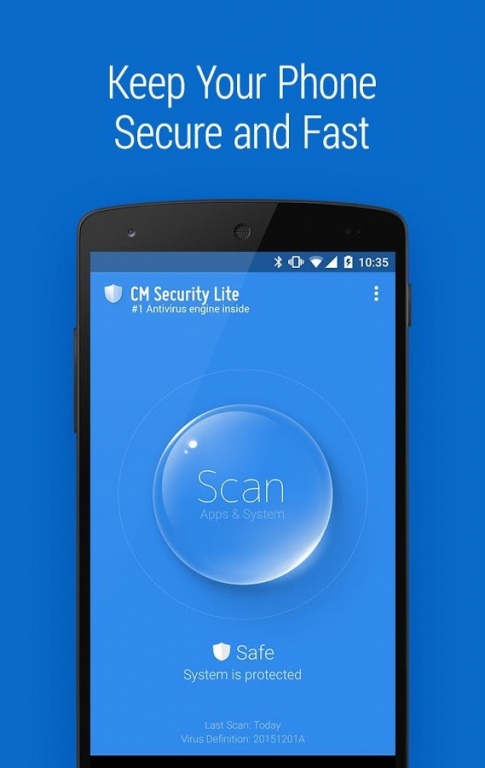
Lowest Power Consumption and Lowest Memory Usage – Exclusively designed for phones with memory less than 1GB
Smallest Installation Package (1.28MB) – The lightest mobile security tool
#1 Antivirus Engine Inside – Trusted by 500 million users
Highlights of CM Security Lite:
☆ #1 antivirus engine: Powered by both local and cloud engines, and supported by experience with 500,000,000 users and 16-years of history in the PC & mobile security industries. Repeatedly ranked first in tests carried out by AV-TEST and AV-Comparatives.
☆ Multi-layer protection: Fix system vulnerabilities and scan new apps, file systems and websites to ensure your device's safety and your privacy in real-time.
☆ Fast and handy: Scanning takes just seconds, faster than other paid anti virus scanners. CM Security is also lightweight, taking up half as much phone memory as other antivirus apps .
► APP & SYSTEM SCANNER
Scan pre-installed and installed apps and the file system to keep your phone safe from virus, trojan, vulnerability, adware, malware and spyware.
► SD CARD SCAN
Scan external SD cards thoroughly to detect and delete threats.
► ON-INSTALL SCAN
Prevent harm to your device with real-time scanning of new applications and updates.
► SCHEDULED SCAN
Routine automatic scanning allows for passive security.
Our Google+ Beta community: http://goo.gl/4QFbNp
Facebook:https://www.facebook.com/kscms
Terms of service: https://goo.gl/AidoF8
Privacy Policy: https://goo.gl/ec3pN2
AdChoices: https://goo.gl/qrzoXV
About CM Security Lite - Antivirus
The company that develops CM Security Lite - Antivirus is Cheetah Mobile (AppLock & AntiVirus). The latest version released by its developer is 1.0.2.
To install CM Security Lite - Antivirus on your Android device, just click the green Continue To App button above to start the installation process. The app is listed on our website since 2018-01-04 and was downloaded 8 times. We have already checked if the download link is safe, however for your own protection we recommend that you scan the downloaded app with your antivirus. Your antivirus may detect the CM Security Lite - Antivirus as malware as malware if the download link to com.cmsecurity.lite is broken.
How to install CM Security Lite - Antivirus on your Android device:
- Click on the Continue To App button on our website. This will redirect you to Google Play.
- Once the CM Security Lite - Antivirus is shown in the Google Play listing of your Android device, you can start its download and installation. Tap on the Install button located below the search bar and to the right of the app icon.
- A pop-up window with the permissions required by CM Security Lite - Antivirus will be shown. Click on Accept to continue the process.
- CM Security Lite - Antivirus will be downloaded onto your device, displaying a progress. Once the download completes, the installation will start and you'll get a notification after the installation is finished.
Program Details
System requirements
Download information
Pricing
Version History
version 1.0.2
posted on 2018-01-04
version 1.0.1
posted on 2016-10-06
You can download CM AppLock and CM Free VPN from the button at the right top corner of the main interface of CM Security Lite now
